6.0 Agents & MCP
Switch coding agents without rewriting your process.
Claude Code, Codex, OpenCode or Pi does the work, and your process is not tied to any of them. Ask the built-in agent why something stopped, or connect your own agent over MCP and run the factory with your permissions.
6.1 Coding agents
Pick the coding agent for each step
Each step of a workflow names the agent that runs it. Plan with one agent and write the code with another. Switching agents is a change to one step, not to your process.
- Claude Code
- Codex
- OpenCode
- Pi
6.2 Built-in chat
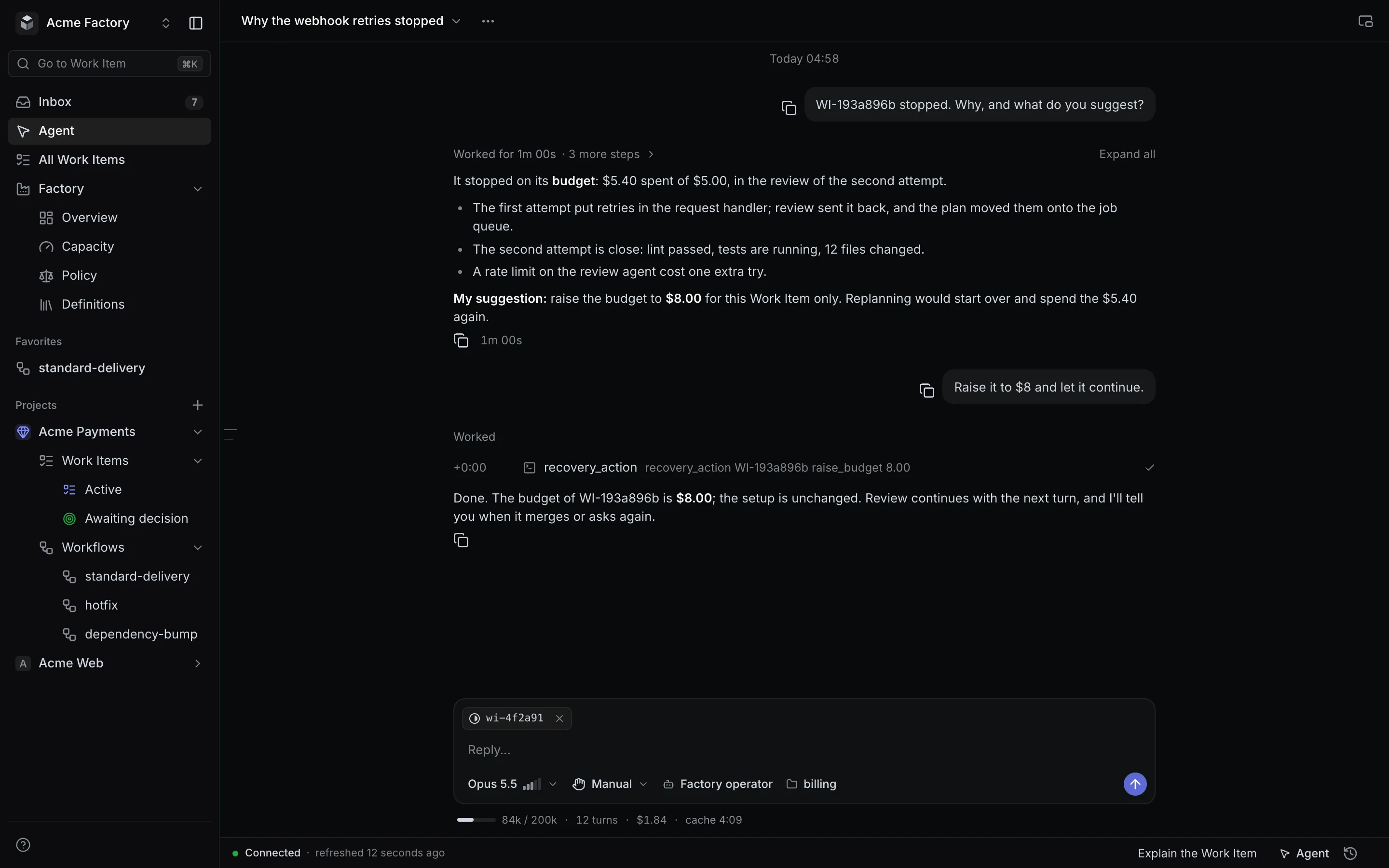
Ask the factory what is going on
A chat page, and a panel over any screen that knows what you are looking at. It runs in one of two modes, and neither can do more than your role allows.
Over any screen
Press ⌘J on any page. The chat sees the task or the selection you have open.
Guide
Read-only. It answers questions about what you see and changes nothing.
Operator
Every tool your role allows: find out why work stopped, recover it or raise a budget, from the conversation.
6.3 MCP
Run the factory from your own agent
MCP is the open protocol agents use to call tools. The factory’s MCP server offers a full set of tools, so Claude Code, Codex, Cursor or any agent that speaks MCP can run the factory with your rights:
- configure workflows and rules;
- diagnose stuck work and recover it;
- manage the queue and its limits;
- manage the sources work comes from;
- search the help.
Your agent signs in through OAuth, with your consent, and you can revoke it. Secrets never pass through MCP.
Security and access →6.4 API
An API for everything else
Create work from any system with one call. Each call carries an idempotency key, so a retried call never creates the same work twice.
- the same roles and project access as the web and MCP;
- personal API keys that are hashed, scoped and expiring;
- service credentials for the systems that call it.