4.0 Control
Budgets you set, not bills you discover.
Every task has a budget, every loop has a cap, and every person and agent has a role. When work reaches a limit, it stops and asks a person. Nothing goes past a limit without someone saying yes.
4.1 Budgets
Spending stops where you set it
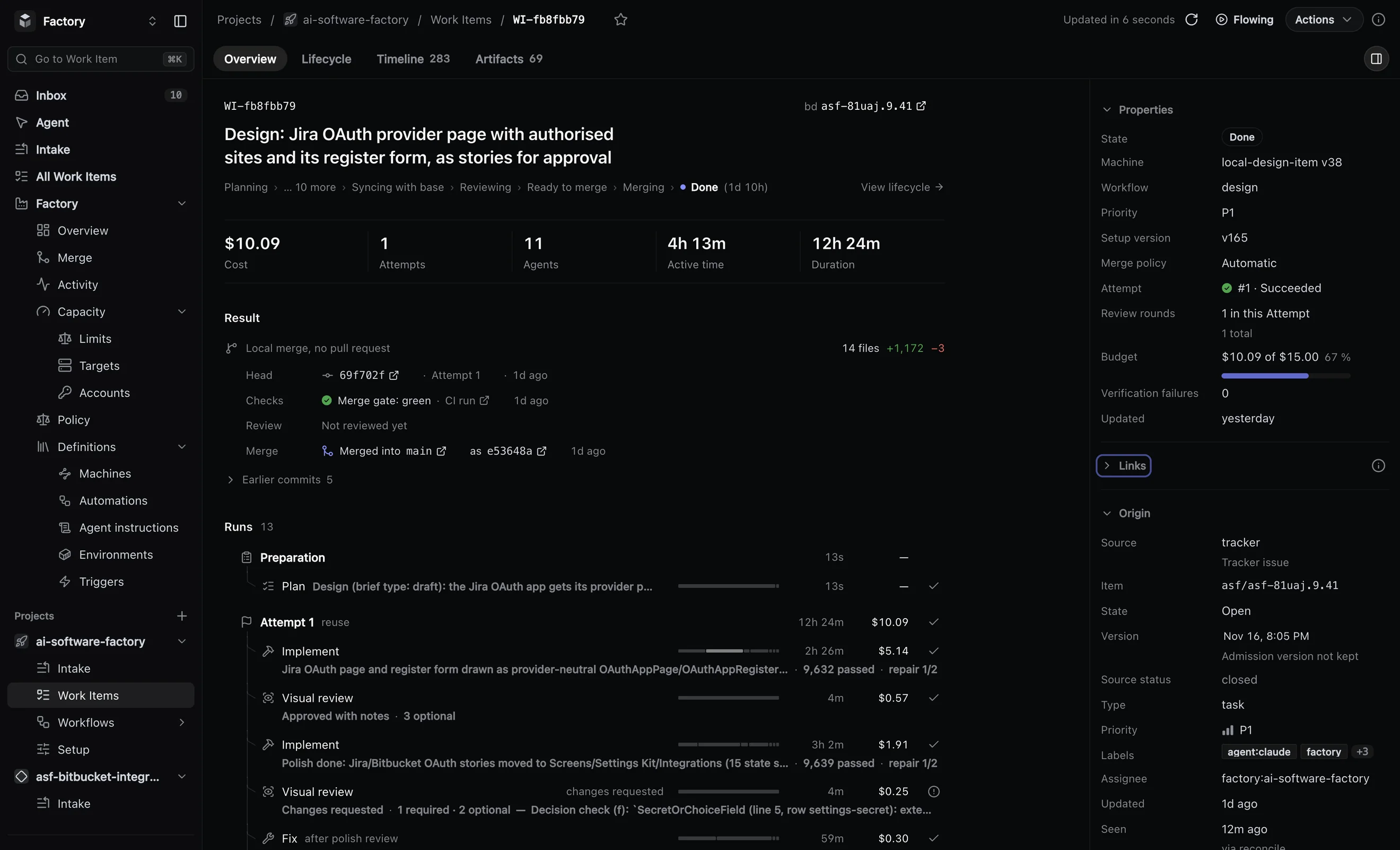
Each task has a budget, and each project has a ceiling. You get a warning at 80%. At the cap, the next agent turn does not start: the task stops and asks a person to raise the budget, replan or cancel. The work done so far is kept.
4.2 Retries and time
Every retry has a cap and every step a time limit
Every repeat has a cap you set, and every step has a time limit. When a task runs out of rounds, it stops and asks a person, with the evidence, instead of trying the same thing again.
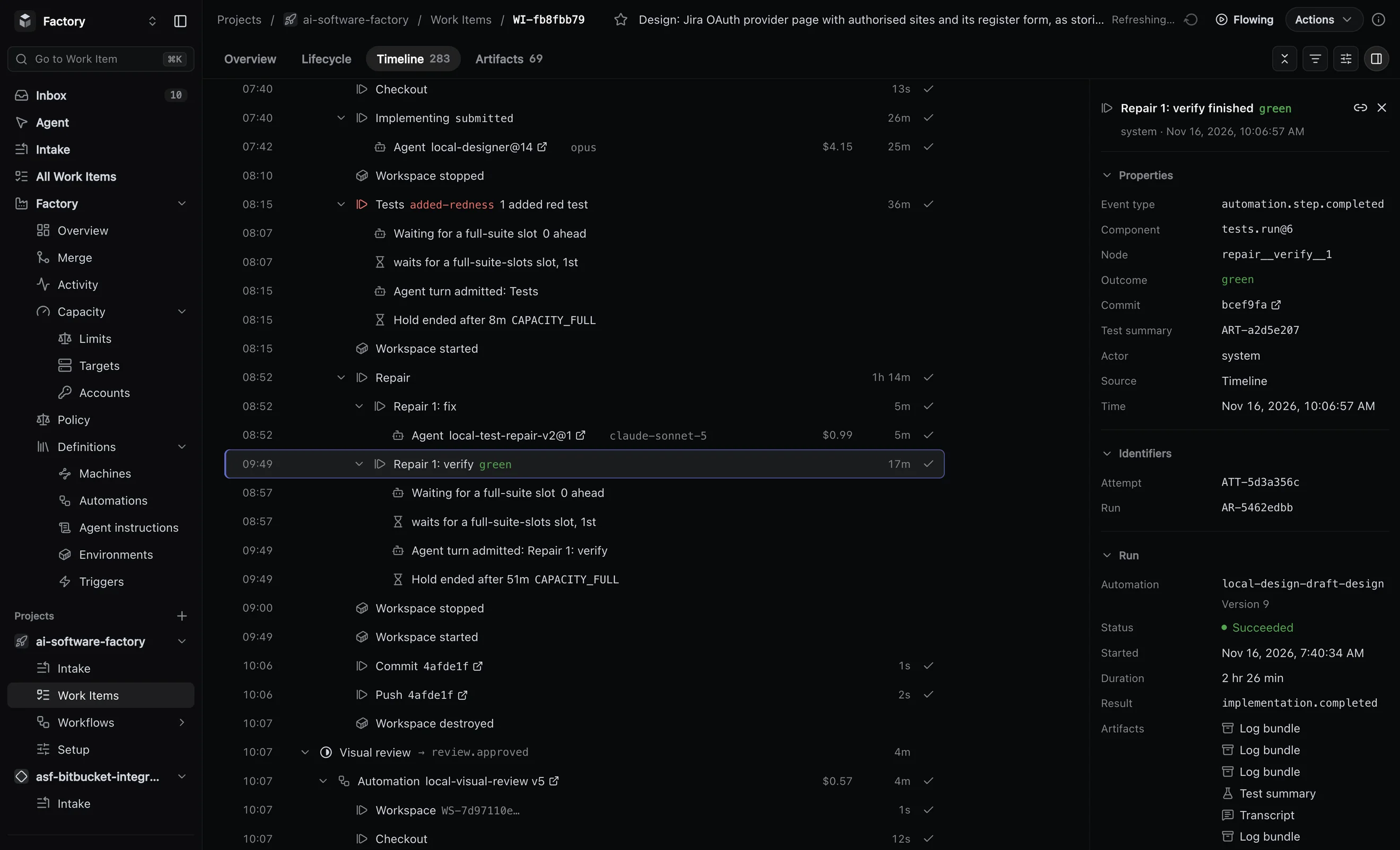
- New plans per task
- Review fix rounds
- Repair rounds
- Refused merges
- Automatic reruns
- Retries per step
- Time per step
- Time per sandbox
4.3 Concurrency
You decide how much runs at once
Cap the tasks in flight, the agents running, the full test suites, the depth of the merge queue and the workspaces on each machine. When a cap is full, new work waits for a free slot, so a busy day does not swamp your machines or your CI.
4.4 Where agents run
Agents work on machines you choose
Each task runs in its own sandbox: a Docker container on your own machines, Kubernetes, AWS or Cloudflare, or a cloud sandbox from E2B or Daytona. The factory reaches a Docker host in your network over SSH. Each step names its environment: the image, the memory, the command that verifies the work and the side services it needs.
4.5 Security and access
One set of rules for people and agents
Every request meets the same roles and the same project access, whether it comes through the web, the API or MCP, the open protocol agents use to call tools. Access to a project is denied until someone grants it.
- four roles: Viewer, Operator, Organization admin and Platform admin;
- single sign-on through your identity provider: Google, GitHub, GitLab, any OIDC provider, or Cloudflare Access;
- OAuth for MCP clients, with consent and revocation;
- personal API keys that are hashed, scoped and expiring;
- secrets never pass through chat or MCP;
- integration installs, revocations and disconnects are audited.
4.6 Audit trail
Every run leaves a record
Each step stores what it produced, and nothing it stored can be changed once published. Every task also keeps a timeline of every event, from the moment it arrived to the moment it merged or stopped.
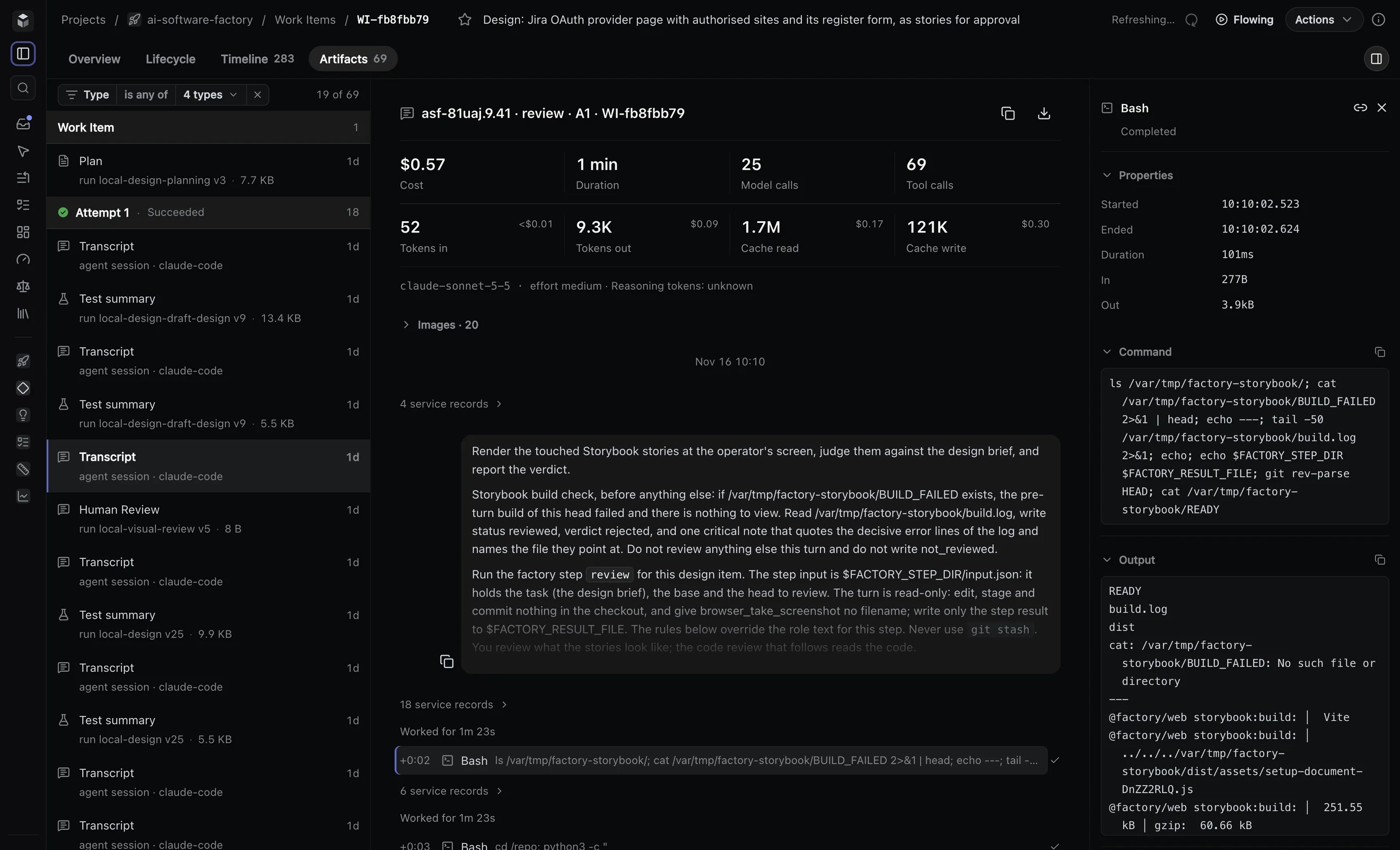
- Plan
- Review
- Test summary
- Build summary
- Diff summary
- Agent result
- Log bundle
- Diagnostic snapshot
- Document
- Transcript
- CI merge judgement